
Calibrate more instruments,the same way every time.
Gilium runs 165 standardized calibration procedures against your bench instruments over GPIB, VISA and NI hardware, checks every reading against its tolerance, and writes the report.
- Procedures
- 165
- Instrument drivers
- 60+
- Export formats
- 7

Built for labs that are measured on throughput and traceability
Whether you calibrate for customers or for your own production and flight-test programs, the bottleneck is the same: skilled technicians spending hours hand-driving instruments and transcribing readings.
Commercial calibration laboratories
- Cut technician time on high-volume items such as power supplies, multimeters and oscilloscopes.
- Consistent procedures and reports across technicians, shifts and sites.
- Raw XML and CSV output for import into your calibration management system.
Aerospace and defense internal cal labs
- Repeatable, documented test steps that stand up to internal and customer audits.
- Runs entirely on a Windows PC in your lab. No cloud connection is required to test.
- Procedures cover the Keysight, Fluke, Tektronix, Keithley, R&S and NI equipment common in RF and avionics test.
Everything between the connection diagram and the certificate
Gilium is a test executive, not a scripting toolkit. Procedures, drivers, data handling and reporting come ready to use.
Standardized, guided procedures
Every procedure is a numbered test procedure with an introduction, per-test connection diagrams, and a datasheet of test points and tolerances. Technicians follow the same steps every time.
Direct instrument control
Gilium talks to the unit under test and your reference standards over GPIB, USB, LAN (VISA) and NI DAQ hardware through a library of instrument drivers. Scan, drag, drop, run.
Live data with pass/fail
Measurements stream into tables and charts as they are taken. Each reading is checked against the datasheet limits so an out-of-tolerance point is visible immediately, not at report time.
As-found, adjust, as-left
Sessions keep as-found data, adjustment steps and as-left verification separate, so your certificate tells the full story of what the instrument did before and after service.
Audit-ready reports
Export rich-text PDF or DOCX with charts, plain-text PDF, DOCX or TXT, and raw data as XML or CSV for your quality system, LIMS or customer deliverables.
Save-state archives
A run can be saved as an archive that bundles the procedure with its results. Reopen it days later to finish the remaining tests or re-export in another format.
Reference-standard data
Characterization data for your power sensors, attenuators and other standards is stored per model and serial number and applied automatically during a run.
Isolated, abortable execution
Each test runs in its own process. Abort at any time without a frozen interface, and a misbehaving instrument cannot take the application down with it.
Three tabs. Setup, Test, Export.
The interface follows the order of work at the bench, so a new technician is productive on the first day.
- 01
Setup
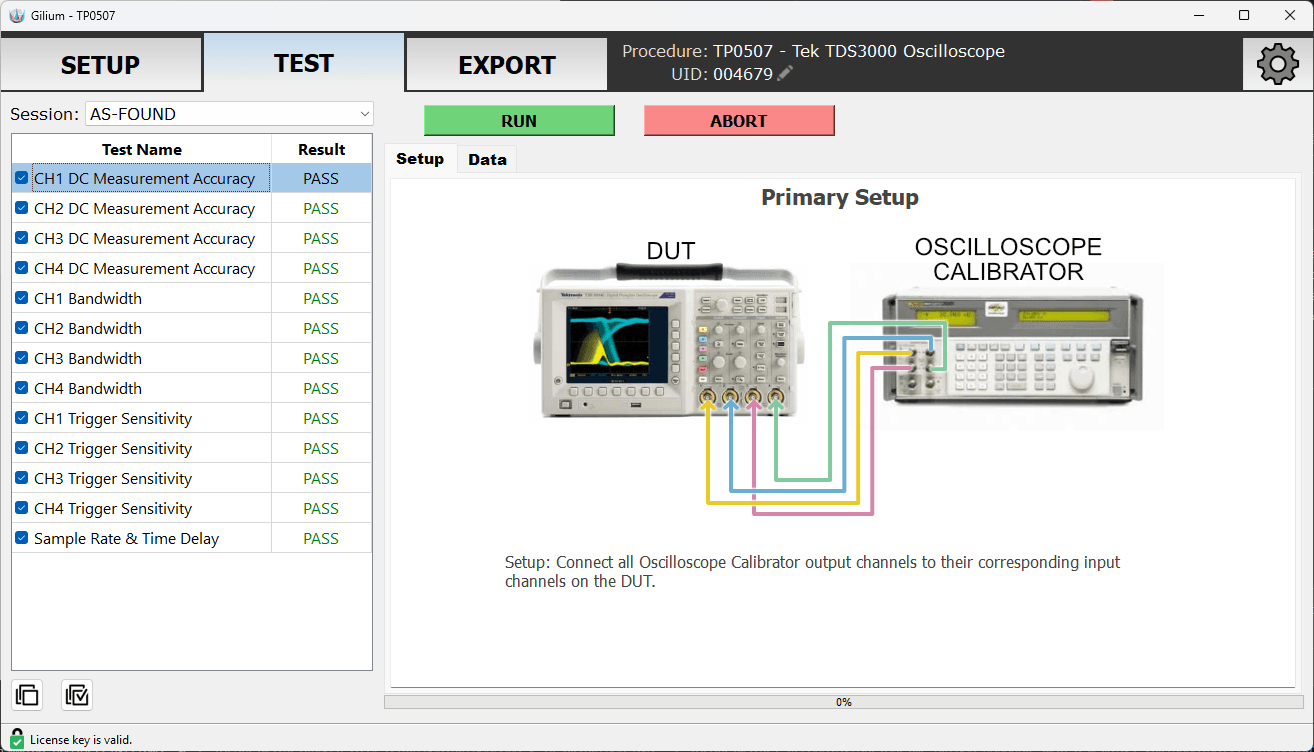
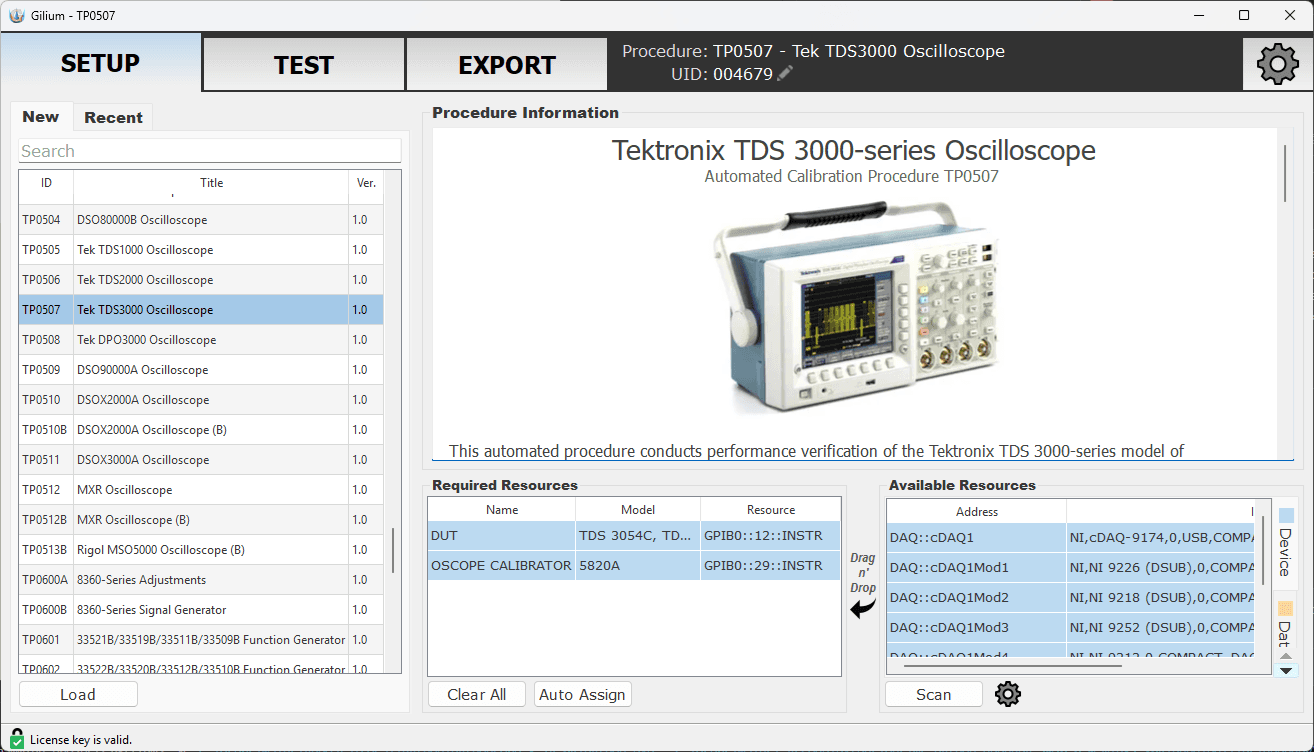
Pick a procedure from the library or reopen a saved archive. Scan the bus to discover connected instruments and drag each one onto the required-resource it will play.
- 02
Test
Select tests, review the connection diagram, press Run. Gilium drives the instruments, records each reading against its limits and marks the test PASS or FAIL.
- 03
Export
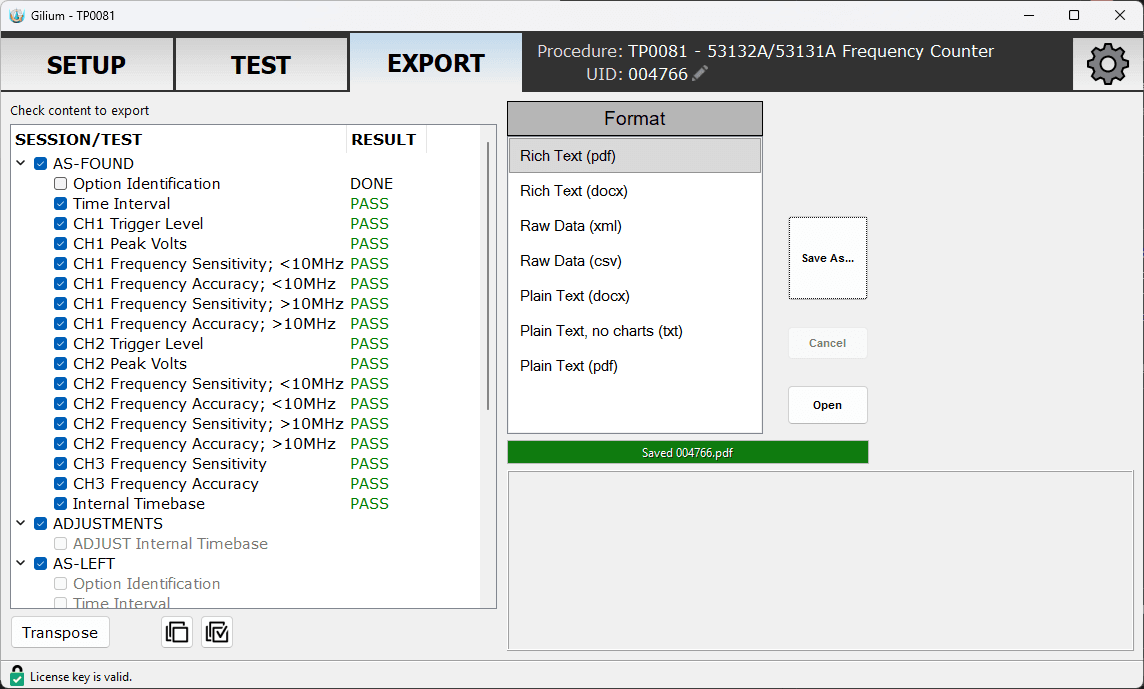
Check the sessions and tests to include, choose PDF, DOCX, XML, CSV or TXT, and save. The report is ready for your certificate package.
Data you can act on while the instrument is still on the bench
Charts and tables update as each point is measured. Limits are drawn on the chart and applied to every reading.
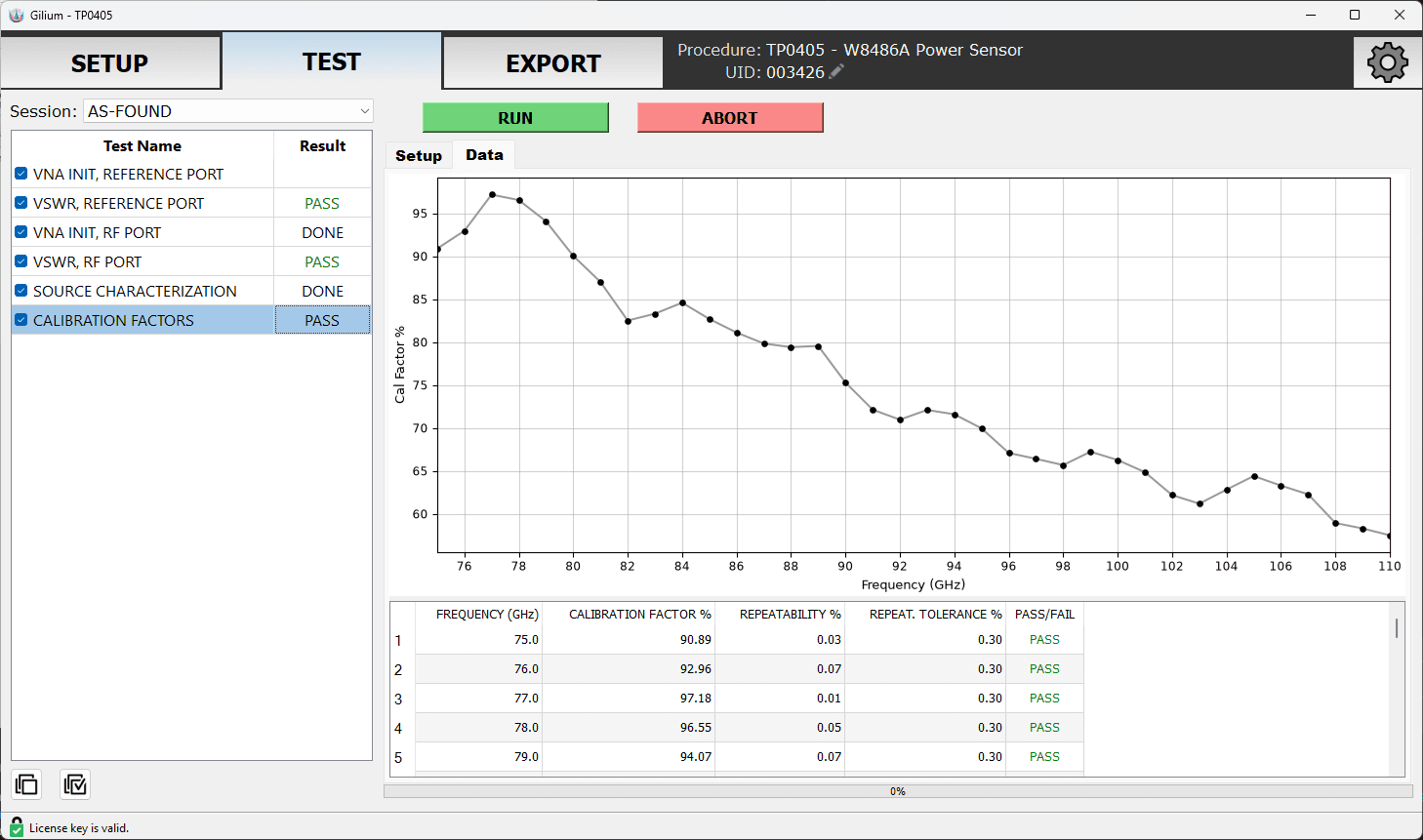
1 / 6 Power sensor calibration factors plotted live from 75 to 110 GHz
Coverage across the instruments a cal lab sees most
Each procedure is written to the manufacturer's performance test specification and names the reference standards it accepts.
- Power Supplies63
- Power Meters17
- Oscilloscopes16
- Multimeters & DAQ14
- Signal & Function Generators13
- RF & Microwave Components12
- Power Sensors8
- Frequency Counters6
- Network & Noise Figure Analyzers5
- Waveguide & Attenuators5
- NI DAQ & PXI Modules4
- Calibrators2
Manufacturers covered: Keysight / Agilent / HP, Tektronix, NI, Rohde & Schwarz, EIP, Fluke, Keithley, Mini-Circuits, Rigol, Copper Mountain, GW Instek, Siglent, XL Microwave.
See all procedures
Ready to see Gilium on your own bench?
Tell us which instruments you calibrate most. We will point you to the matching procedures and arrange an evaluation license.